
Run Document Workflows End to End, Without Manual Handoffs
ReportMiner automates the full document processing pipeline, from inbox and folder ingestion through extraction, validation, and posting into your ERP, claims system, or database, all on a schedule or triggered by file arrival.
- Trigger workflows on file drop, email arrival, scheduled run, or API call, with no operator clicks in between
- Distribute processing across multiple servers so month-end volume runs as fast as a quiet Tuesday
- Monitor every running job from one dashboard, with email alerts for errors, completions, and abnormal terminations
See an end-to-end document workflow run live
A live demo on real documents you bring. No slides, no scripts.





Document Processing Automation Built for Operations Teams, Not for Tickets
Ingest Documents From Wherever They Actually Arrive
Documents land in shared inboxes, vendor portals, FTP drops, scanner outputs, and folder watches, and someone usually has to route them by hand. ReportMiner monitors all of those channels at once, picks up files the moment they arrive, and pushes them straight into the right workflow without anyone clicking through prompts.
Schedule and Trigger Jobs Without Babysitting Them
Set workflows to run hourly, nightly, on file arrival, or on email receipt, and let them execute unattended. Distributed execution across multiple servers means a 5,000-document overnight batch finishes overnight, not by lunch the next day.
Route Exceptions Without Blocking the Queue
The 5% of documents that fail validation should not stall the 95% that process cleanly. ReportMiner flags exceptions automatically, routes them to a review queue with the failure reason attached, and lets the rest of the batch keep flowing into your downstream system.
Watch Every Job in Flight From One Dashboard
Operations leads need to know which jobs are running, which finished, and which broke, without logging into ten places. The centralized dashboard reports status, error counts, and warnings per run, and email alerts ping the right person when something needs attention.
Run Extraction, Validation, and Delivery in One Workflow
Workflow tools handle routing, OCR tools handle reading, validation tools handle quality checks, and someone has to stitch the three together. ReportMiner does all three inside one job definition, so a single workflow takes a document from inbox to validated record in a downstream system without three vendors involved.
Post Directly Into the System Where Work Actually Happens
Automating extraction is only useful if the output reaches the system that runs the business. Native connectors push processed records straight into NetSuite, SAP, Dynamics, Salesforce, claims platforms, and 100+ databases, so AP and ops teams stop manually re-keying what extraction already pulled.
From File Arrival to Posted Record, With No Operator in the Middle.
Set up once, connect your sources and your downstream systems, and let ReportMiner run the full document workflow on a schedule or triggered by every incoming file, ingesting, extracting, validating, and posting, continuously and at scale.
Trigger Workflows the Moment a Document Arrives
Monitor inboxes, folder watches, FTP drops, vendor portals, and API endpoints in parallel, so workflows fire automatically the moment a file lands. ReportMiner accepts native PDFs, scanned images, Word, Excel, and password-protected files in one workflow, with no manual upload step.
Purpose-built for complex, high-stakes AI document processing at scale.
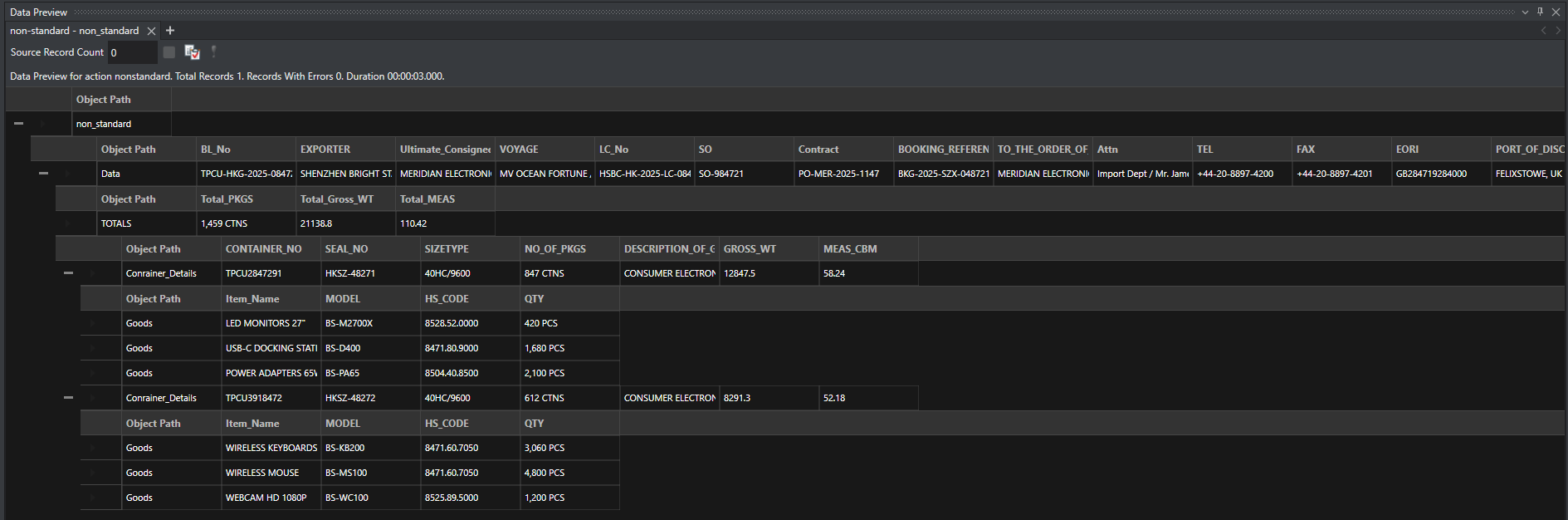
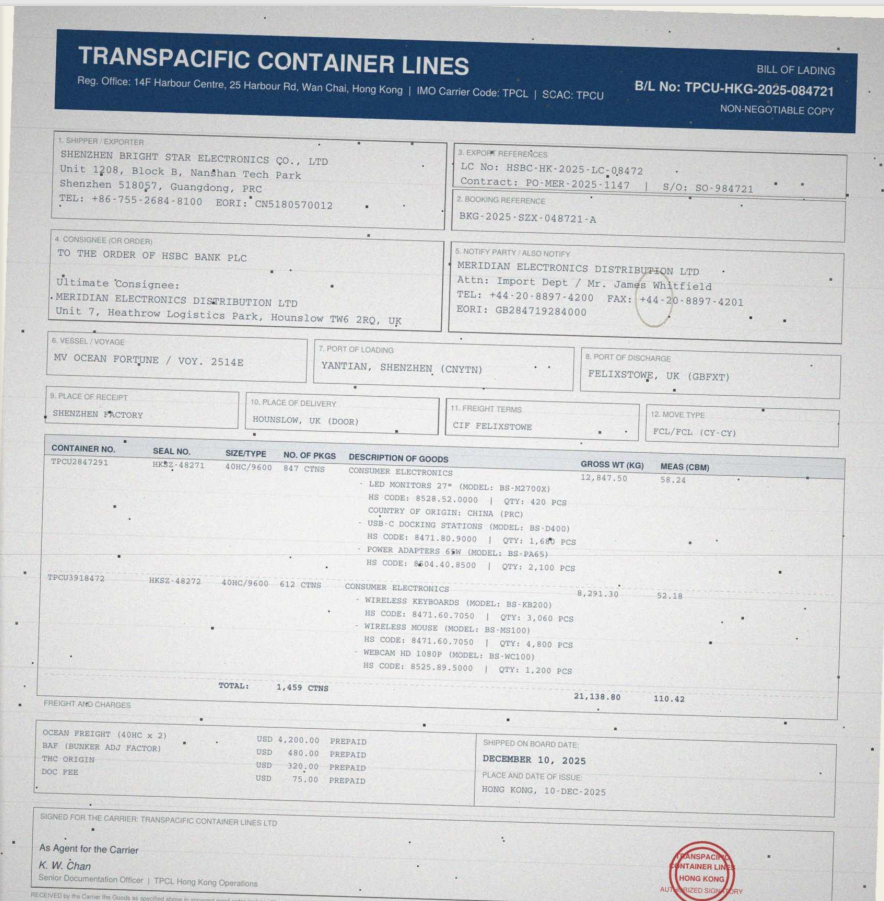
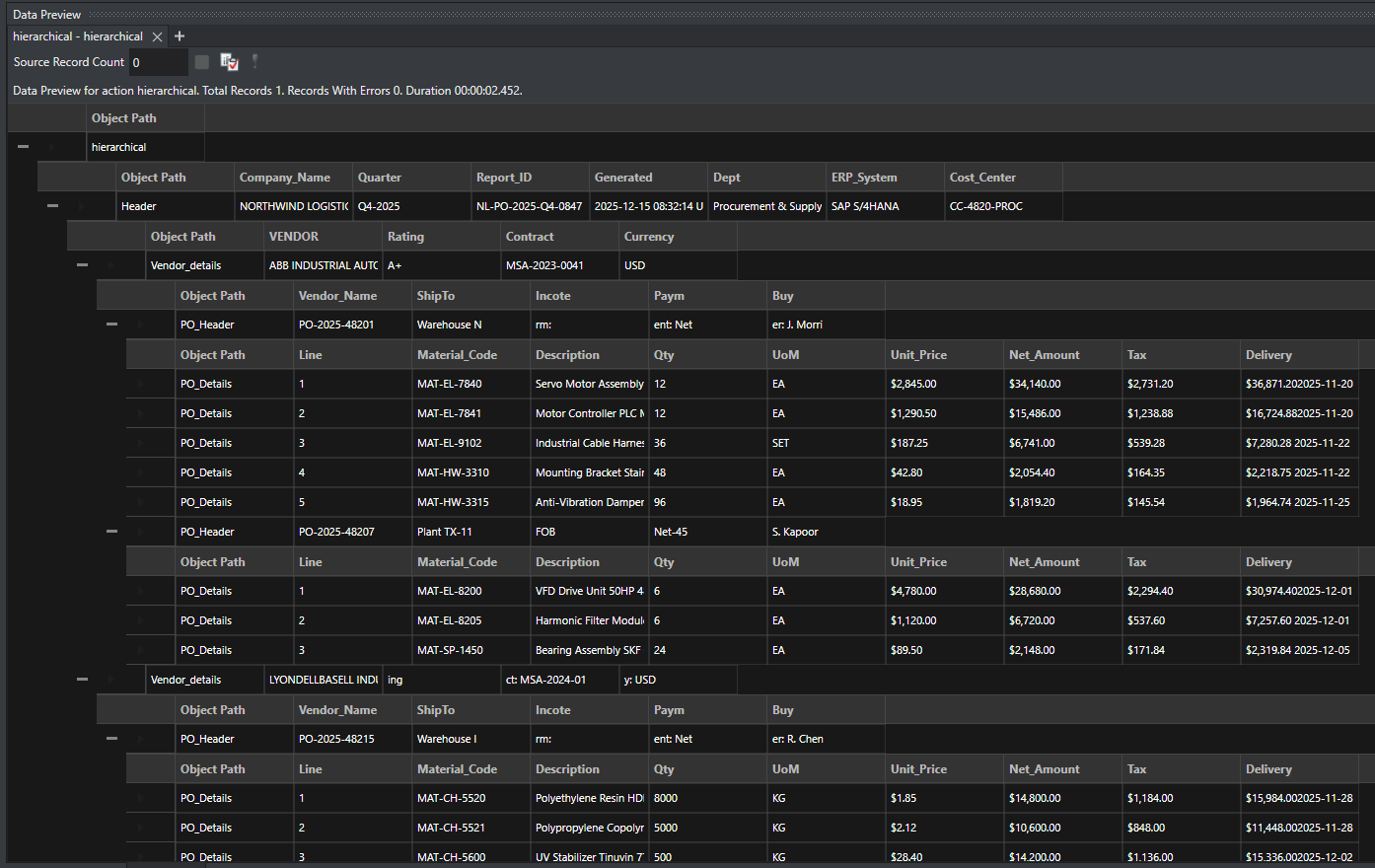
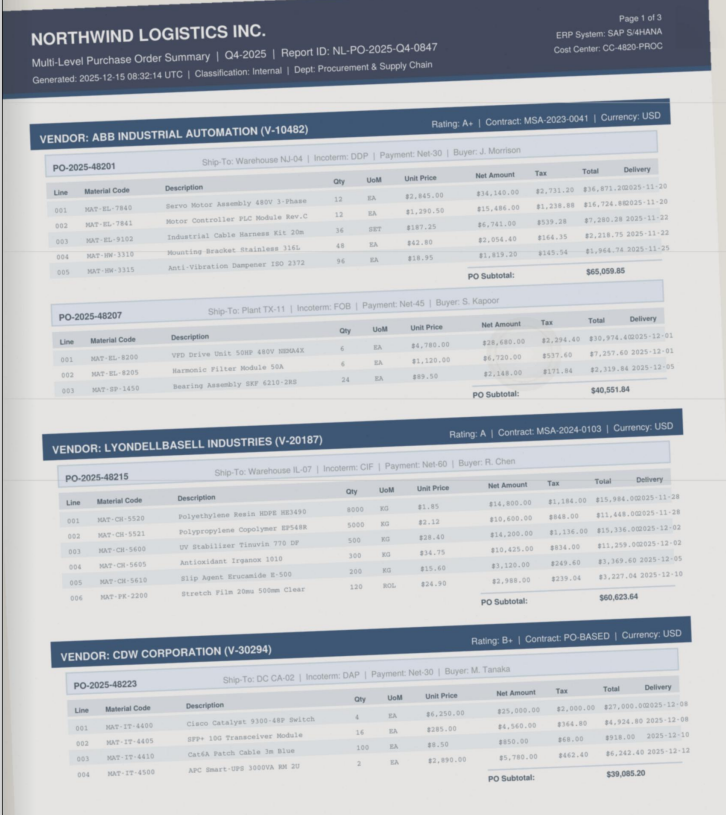
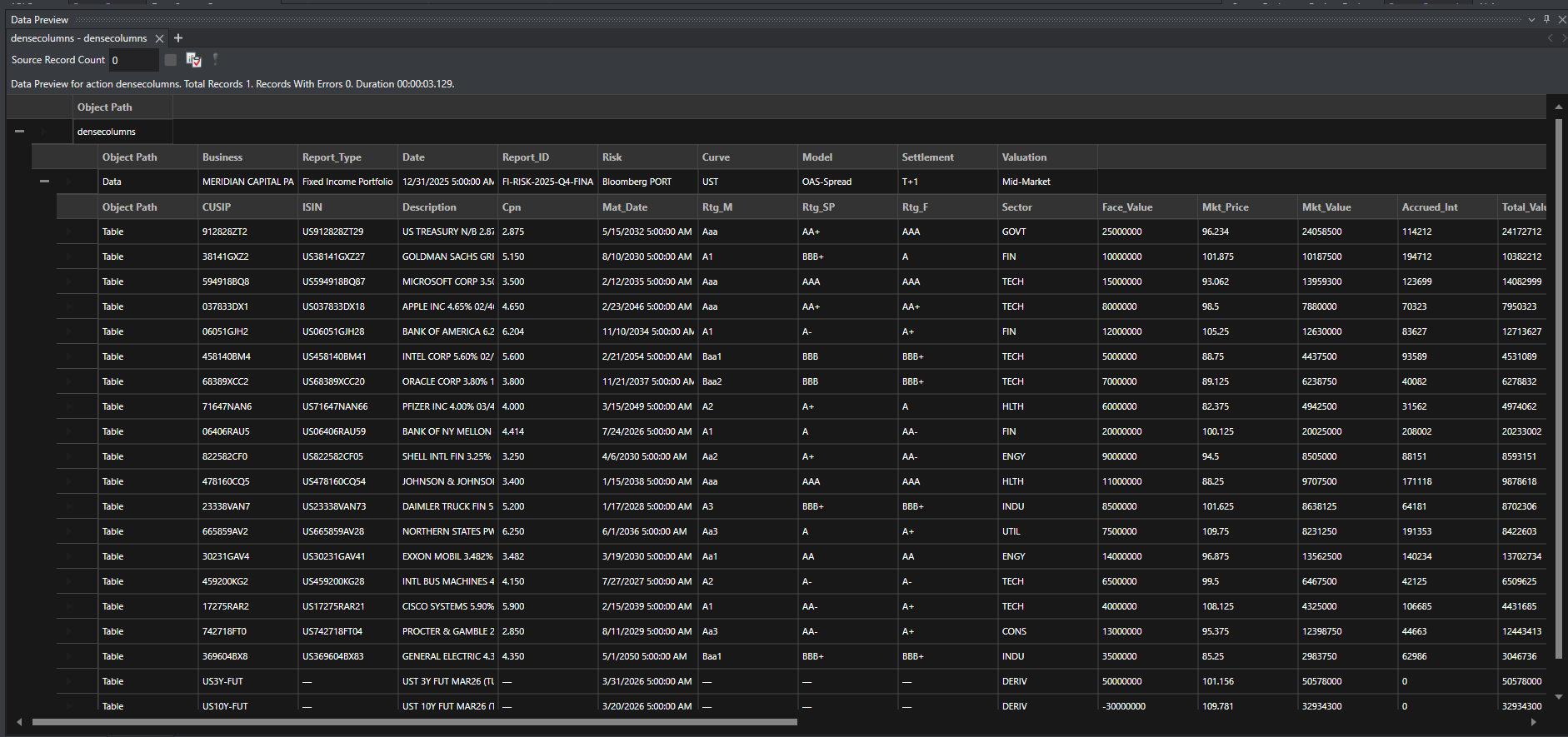
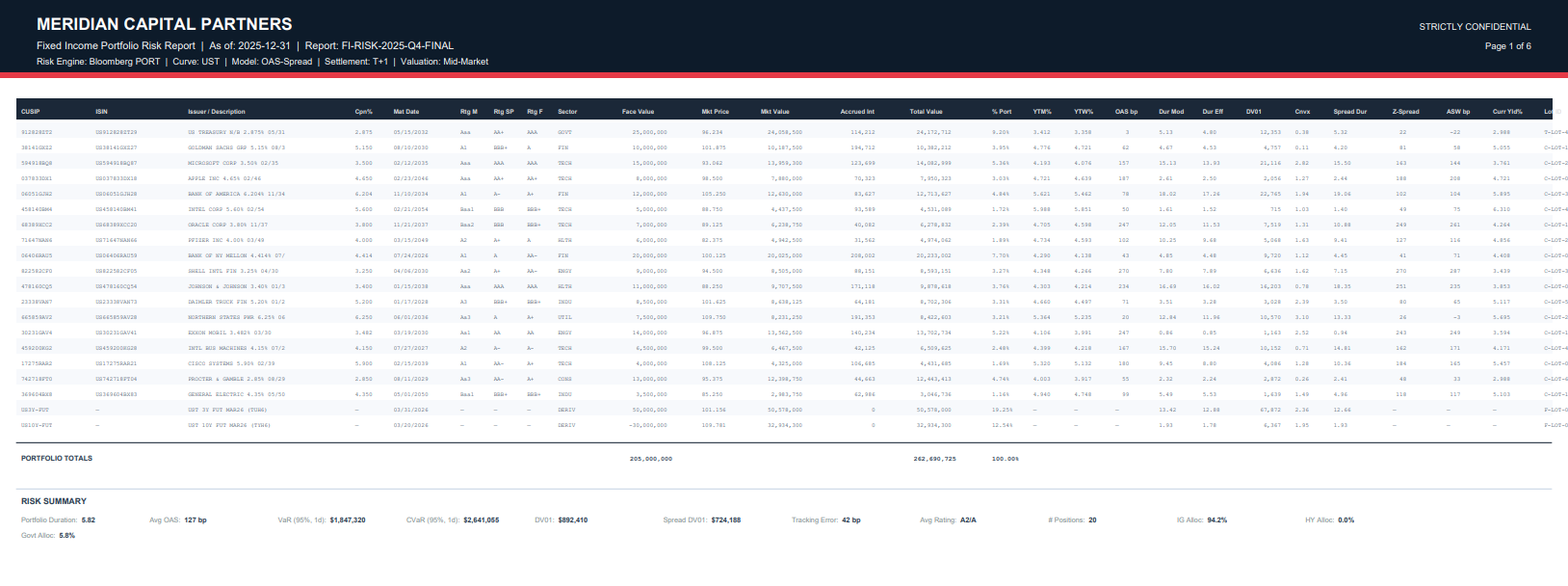
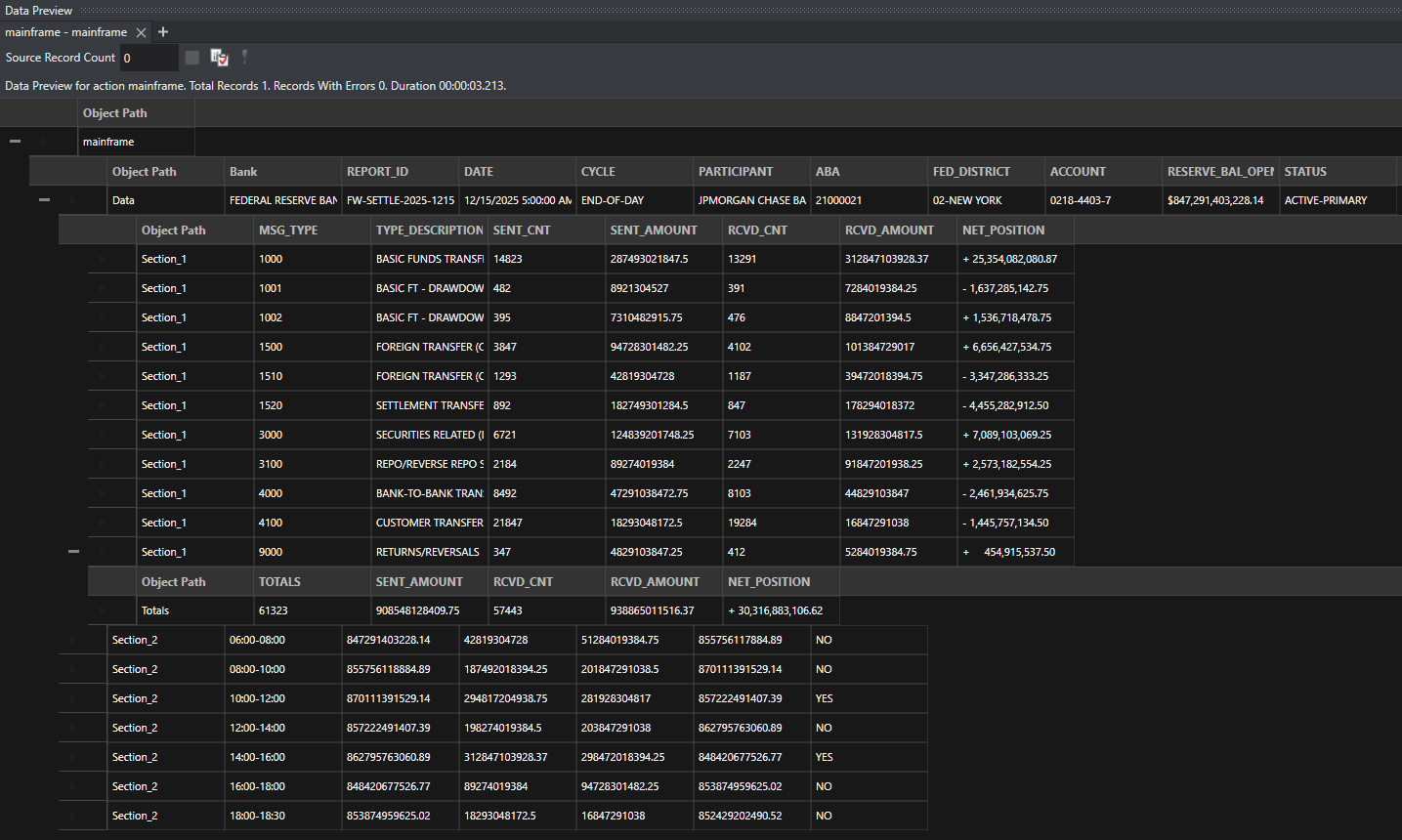
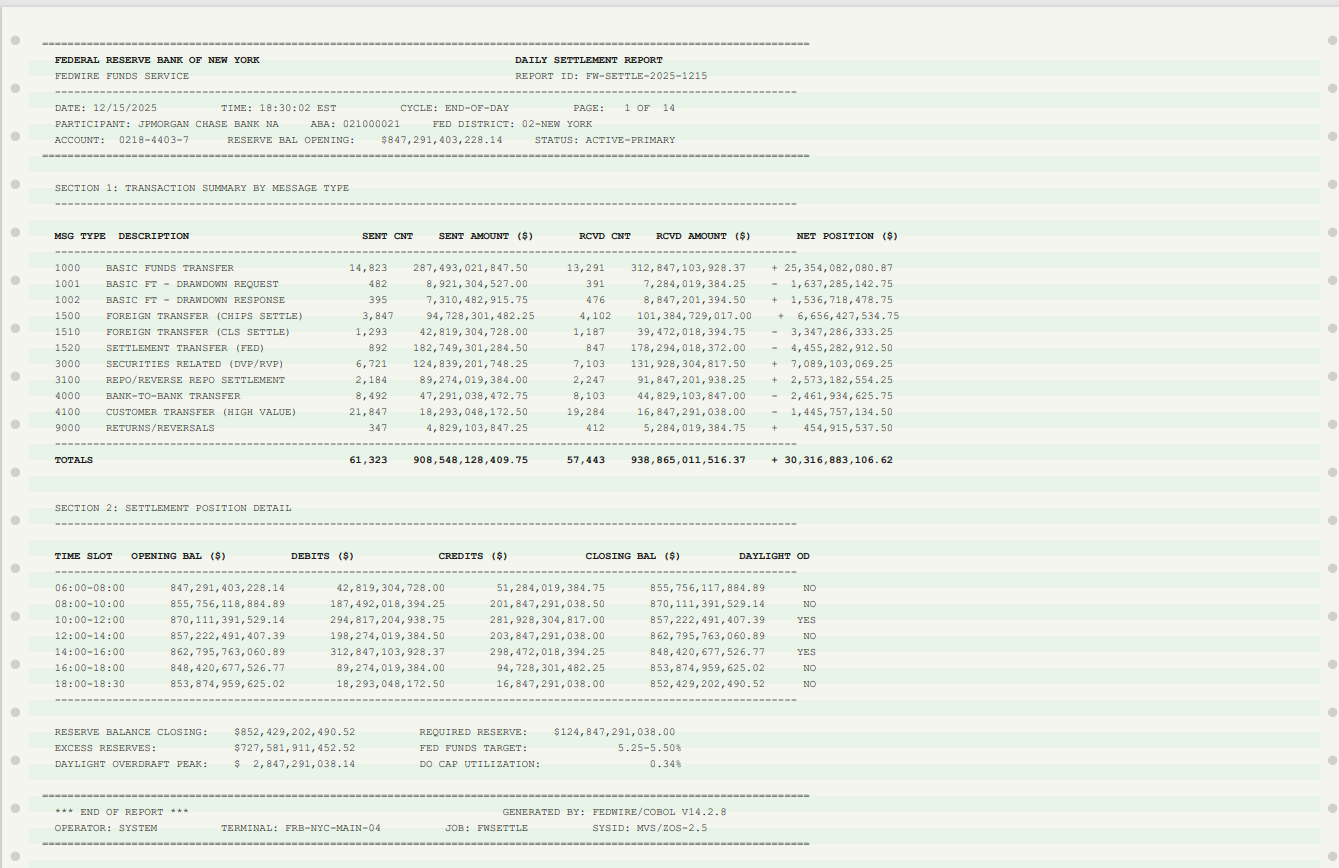
Where Template Precision and AI Flexibility are the Best Combo
ReportMiner combines 15 years of template-based pattern matching with AI-powered extraction in a single platform. Use templates where precision matters, AI where flexibility matters, or both together. That is what the best intelligent document processing software looks like in practice.
Document Processing Automation That Connects to Everything
ReportMiner fits into your existing infrastructure, ingesting documents from any source and posting processed records straight into the systems your operations team already runs.
Sources
Destinations
Deployment
On-premises, private cloud, or hybrid. ReportMiner runs where your data lives. No sensitive documents leave your environment unless you want them to.
Real Results from Real Teams.

“We have been using Astera, Azure Form Recognizer, and PDF Focus. But once we started implementing Astera, we found the product to be most flexible in terms of its capability compared to others, and we are pretty much not using other products at this point.”
Hayder Mir, Sr. Manager, Custom Applications
at Ciena Corporation
Read the full case study hereDocument Processing Automation Plans That Scale With Volume
From departmental data extraction to enterprise-wide business document automation. Choose the tier that matches your operational needs.
Express
For teams getting started with document data extraction.
Standard
For data teams running recurring automated document processing pipelines.
Premium
For enterprises with complex, high-volume document workflow automation needs.
Enterprise
For organizations requiring custom intelligent document automation solutions and dedicated resources.
Each tier includes a dedicated onboarding session and technical setup assistance.
A Single Platform to Extract, Process, and Deliver Data From Every Document You Have
Configure the document processing system once, connect it to your ERP, CRM, or database, and ReportMiner runs in the background from that point forward.