




Automated PDF to Excel Conversion

    Convert PDFs to Excel in Bulk, With Clean Tables and Accurate Numbers

    ReportMiner automates PDF to Excel conversion for bank statements, financial reports, invoices, and any structured PDF, then drops the output where your team already works.

    • Convert thousands of PDFs to Excel with rows, columns, and number formatting preserved
    • Handle multi-page tables, merged cells, and rotated bank statements without manual cleanup
    • Auto-deliver Excel output to SharePoint, OneDrive, S3, or any folder your team uses
    30-Min Live Walkthrough

    See your PDFs convert to clean Excel

    A live demo on real documents you bring. No slides, no scripts.

    ★★★★★ 5/5 on Gartner Peer Insights
    Trusted by 500+ Companies5/5 on Gartner Peer InsightsEnterprise-Grade Security
    VinSolutions
    Ciena
    DexKo Global
    Ever.Ag
    Cherry Health
    Why Astera ReportMiner

    PDF to Excel Conversion Built for Tables That Actually Match the Source

    Preserve Tables Exactly as They Appear

    ReportMiner reads tables by their visual structure, so a 12-column expense report lands in Excel with every column aligned and headers in row one.

    Stitch Multi-Page Bank Statements Automatically

    Transaction tables across 200-page bank statements stitch into a single Excel sheet, with running balances intact and no duplicated header rows to clean up.

    Convert in Bulk, Not One File at a Time

    Process batches of any size in parallel, on a schedule or triggered by file arrival, so a folder of 10,000 PDFs becomes Excel files without clicking through prompts.

    Adapt to Bank Format Changes in an Afternoon

    Reusable templates and visual mapping let your team accommodate a new bank statement layout in hours when banks redesign their formats, not a two-week dev sprint.

    Keep Numbers as Numbers, Dates as Dates

    Output columns are typed correctly during extraction, so dates parse, decimals align, and finance can build a pivot table the moment the file lands.

    Run Hands-Off From Inbox to Spreadsheet

    Monitor email attachments, shared folders, or APIs for new PDFs, then deliver converted Excel files straight to SharePoint, OneDrive, or any working location.

    How PDF Extraction Automation Works

    From Raw PDF to Extracted Data in Your System. No Manual Handoffs.

    Set up once, connect to your sources and systems, and let ReportMiner extract clean structured data from every incoming PDF - continuously and at scale.

    1Step 1 of 6

    Ingest PDFs From Any Channel

    Pull PDFs from email, file drops, FTP/SFTP, cloud drives, web services, or API calls. ReportMiner accepts native, scanned PDFs, image-based PDFs, password-protected files, and multi-page documents. No preprocessing required.
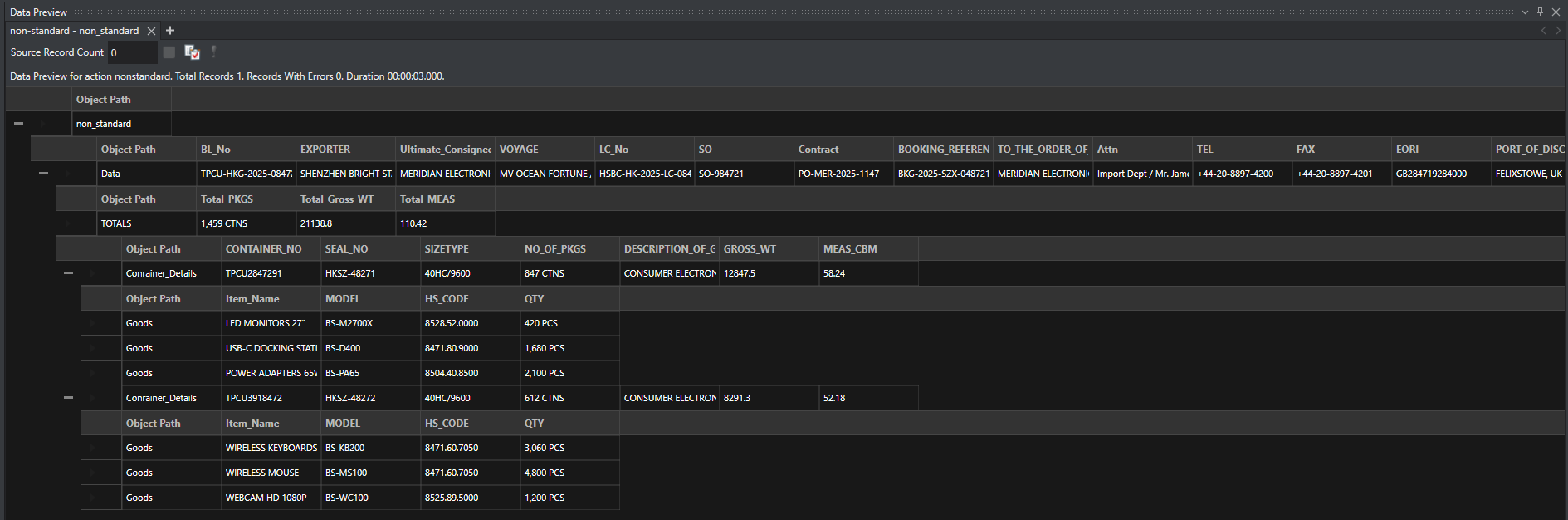
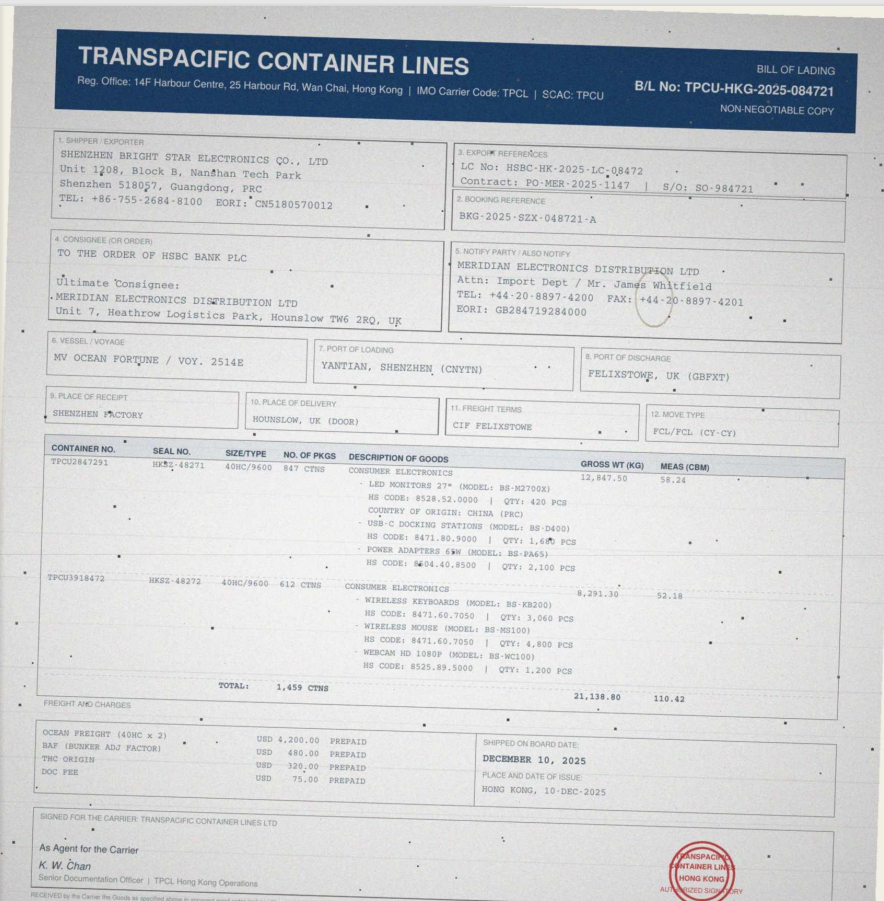
    Built for Complexity

    Purpose-built for complex, high-stakes AI document processing at scale.

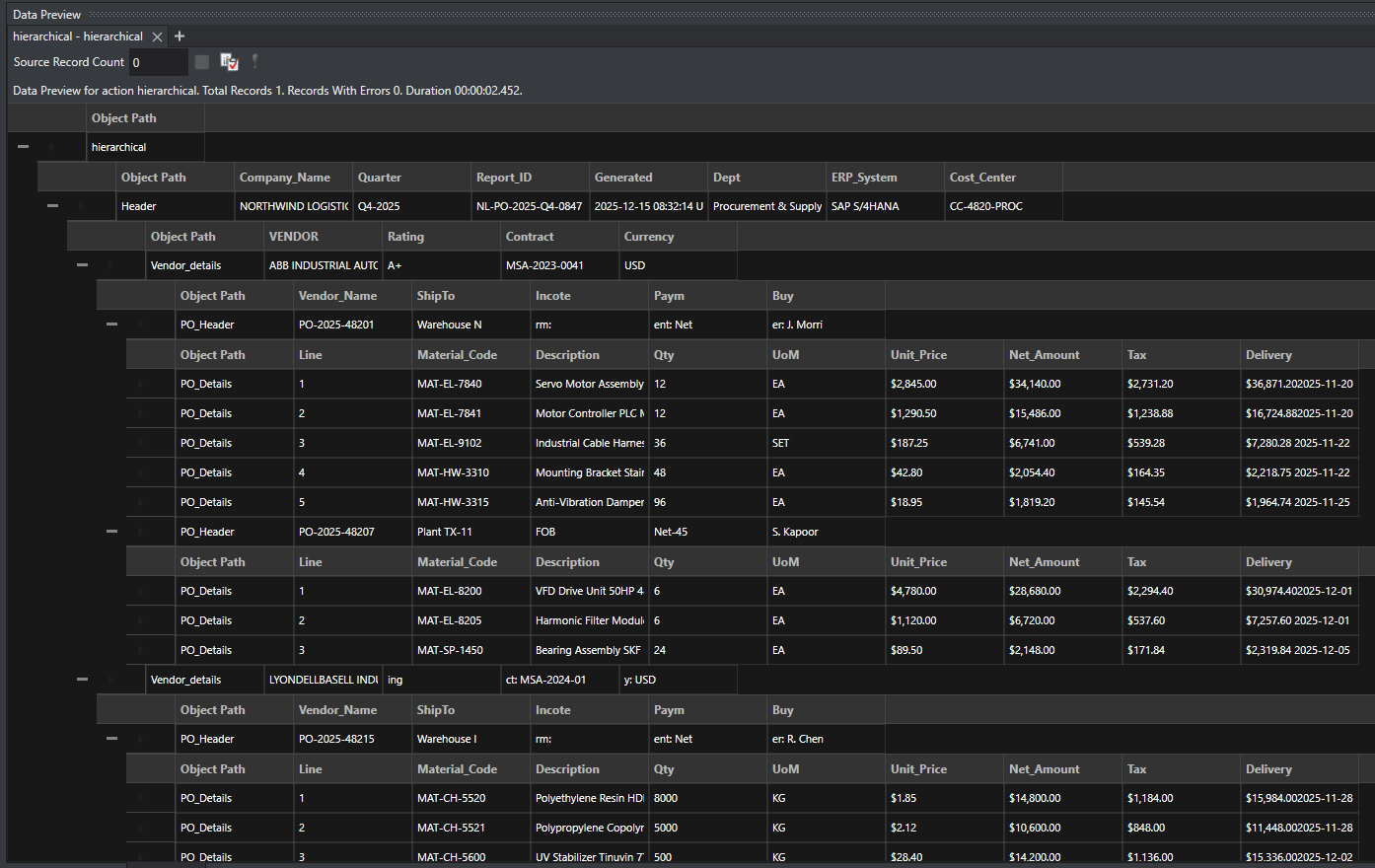
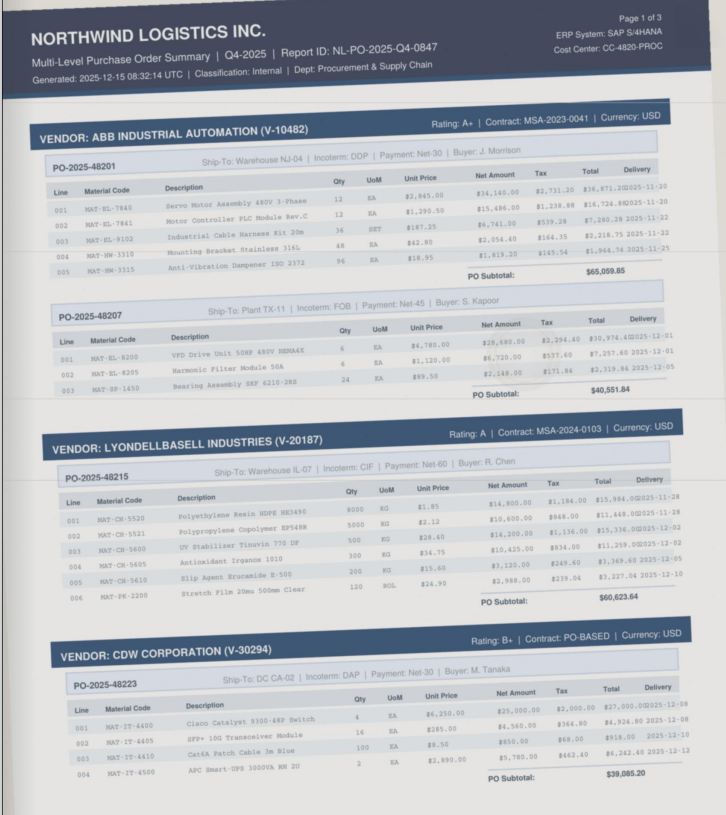
    Extracted outputSource document
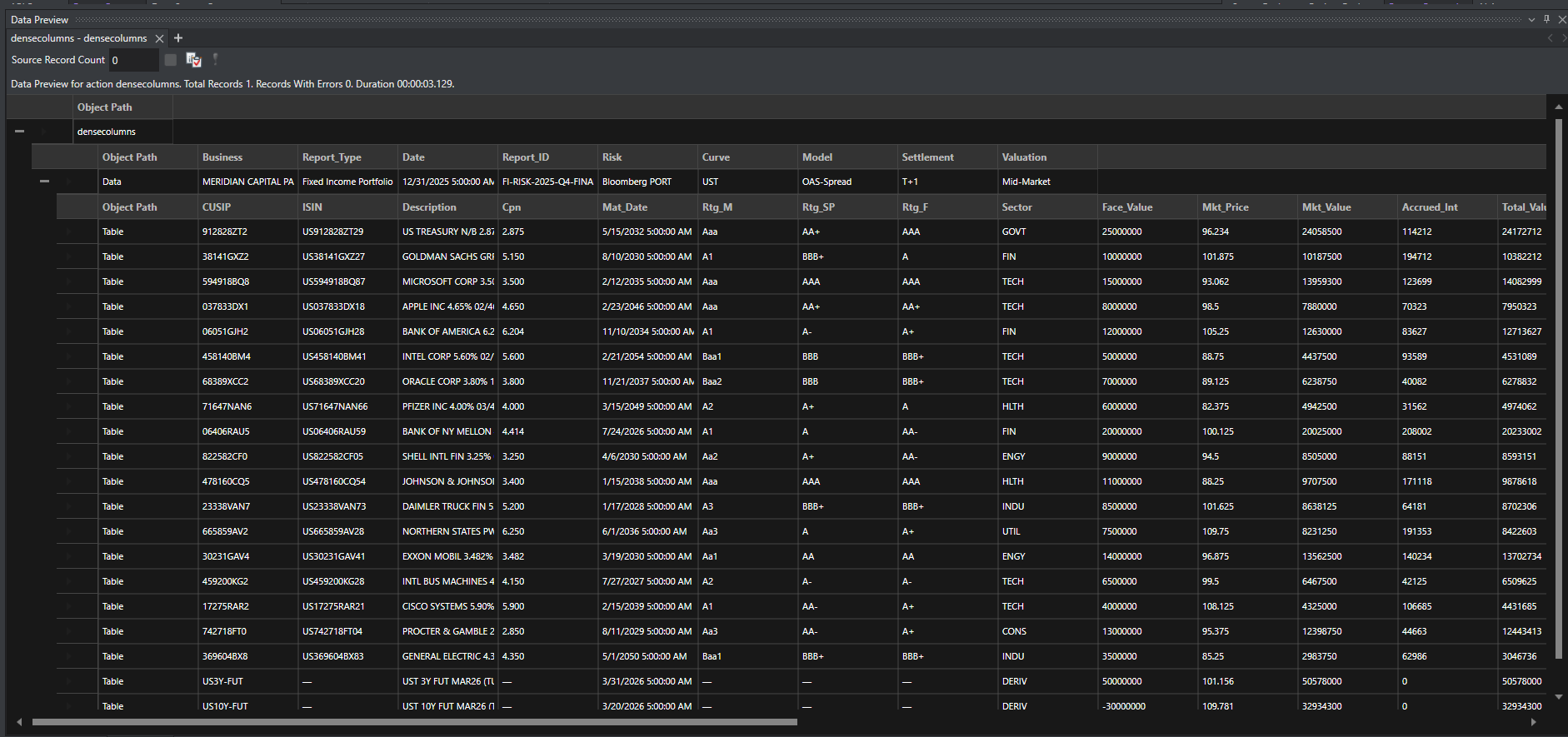
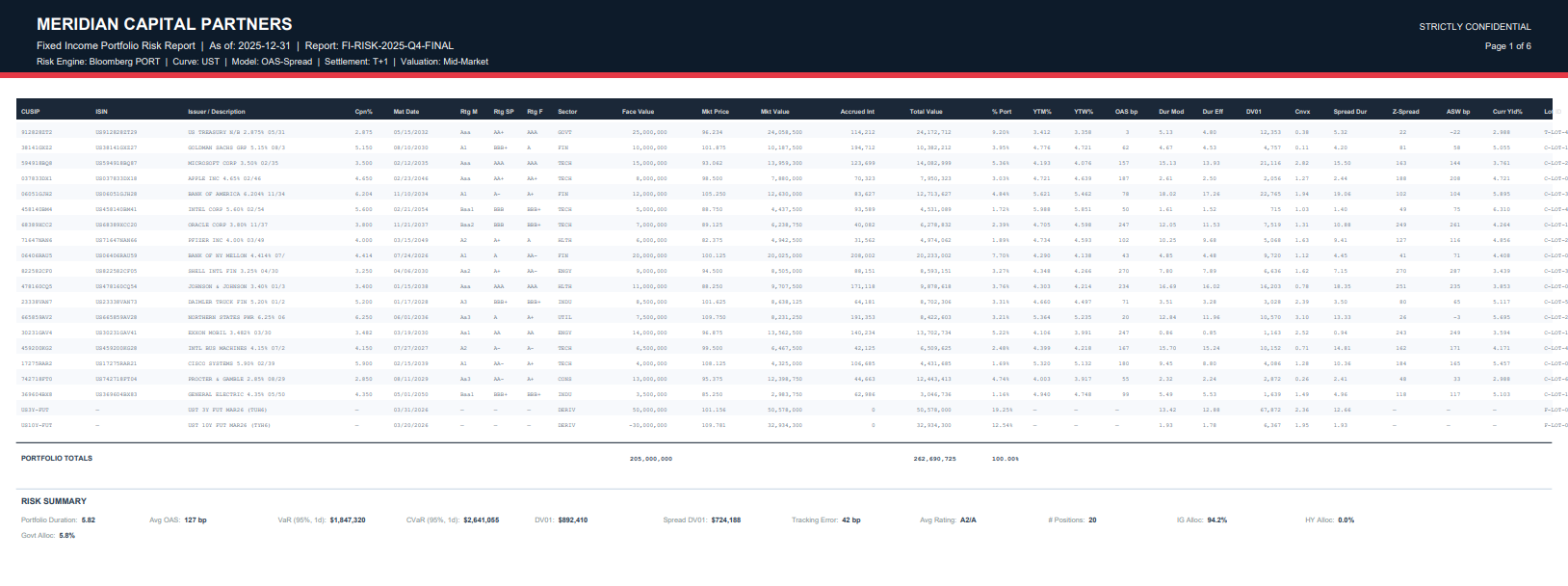
    Extracted outputSource document
    Extracted outputSource document
    ◀▶
    BeforeAfterRaw source documentStructured extracted data

    Where Template Precision and AI Flexibility are the Best Combo

    ReportMiner combines 15 years of template-based pattern matching with AI-powered extraction in a single platform. Use templates where precision matters, AI where flexibility matters, or both together. That is what the best intelligent document processing software looks like in practice.

    PDF to Excel Conversion Software That Connects to Everything

    ReportMiner fits into your existing infrastructure, ingesting PDFs from any source and delivering clean Excel files to any destination.

    Sources

    EmailFTP/SFTPMFTHDFSAS2REST APIsSOAPFile SystemAzure BlobS3SharePoint

    Destinations

    SQL ServerOraclePostgreSQLMySQLSnowflakeRedshiftSAP HANASalesforceDynamics CRMExcelCSVJSONXMLParquetODBC

    Deployment

    On-premises, private cloud, or hybrid. ReportMiner runs where your data lives. No sensitive PDFs leave your environment unless you choose.

    Real Results from Real Teams.

    Ciena Corporation

    “We have been using Astera, Azure Form Recognizer, and PDF Focus. But once we started implementing Astera, we found the product to be most flexible in terms of its capability compared to others, and we are pretty much not using other products at this point.”

    Hayder Mir, Sr. Manager, Custom Applications

    at Ciena Corporation

    Read the full case study here

    PDF Data Extraction Software Plans That Scale With Complexity

    From departmental PDF data extraction to enterprise-wide PDF processing automation, choose the tier that matches your operational needs.

    Express

    For teams getting started with PDF data extraction and basic automation.

    Template-based extraction
    1 client license
    PDF support
    Single OCR engine
    Excel & CSV export
    Standard connectors
    Job scheduling automation
    Customer support
    Most Popular

    Standard

    For data teams running recurring automated PDF processing pipelines.

    Everything in Express
    3 client licenses
    LLM-powered extraction
    Parallel page processing
    All file formats
    Multi-OCR engines
    Job scheduling automation
    4-core prod server
    Enterprise support

    Premium

    For enterprises with complex, high-volume PDF automation and workflow needs.

    Everything in Standard
    5 client licenses
    Multi-server deployment
    Unlimited concurrent processing
    Hierarchical data export
    8-core prod and test servers
    Dedicated CSM

    Enterprise

    For organizations requiring custom PDF data extraction solutions and dedicated infrastructure.

    Everything in Premium
    16 core prod server

    Each tier includes a dedicated onboarding session and technical setup assistance.

    Turn Every PDF Into Fast, Accurate Data That Moves Your Business Forward

    Eliminate manual processing, reduce costs, and accelerate operations. Set up once, connect to your systems, and let ReportMiner continuously extract and deliver structured data without ongoing effort.

    Process any PDF format without limitations or manual handling
    Reduce processing costs with no per-page fees
    Get up and running quickly with expert onboarding support