
Automated Document Processing for Enterprise Complexity and Volume
Astera ReportMiner is no-code automated document processing software for invoices, reports, statements, contracts, forms, scans, handwritten docs, and more.
- ✓ Automatically processes PDFs, Txt files, Word, Excel, legacy reports, and 15+ formats
- ✓ One platform to extract, clean, transform, and validate high volumes of document data
- ✓ Write clean, validated data to Excel, ERP, CRM, database and 300+ destinations
- ✓ No-code visual interface with easy-to-use AI and OCR capabilities












Trusted by 500+ Enterprise Users for Document Processing

What used to take us weeks now only takes a few days as we process over 40,000 PDF contracts of various claims in approximately 4 days with Astera ReportMiner.
The Astera products make extracting data from a PDF a simple and straight forward process, which makes ingestion and integration with other systems a breeze that simplifies workflows and complexity. ReportMiner helps save significant development resources, expedite project timelines, and reduce project cost.

ReportMiner has made our lives so much easier. Instead of 38 people checking documents all day, we now have one overseer monitoring the output. The accuracy is better, compliance is covered, and the whole team’s morale has gone up.

Ability to easily convert PDF into text, especially in those situations where PDF documents have complicated format. So far, we have been able to address every scenario. Best of all was support provided by ReportMiner team.

ReportMiner helped us scale invoice processing across 10,000-15,000 invoices a month from more than 3,000 vendors. It automated extraction, validation, and delivery, cutting processing time by around 95% to under two minutes per invoice without adding headcount.

We regularly use ReportMiner to extract data from PDFs, including scanned ones, text reports, Excel files, and similar sources. Its AI-powered layouts, built-in OCR, and no-code interface make it easy to define fields, structures, and validation rules, then cleanse and export the data to databases or Excel.

Astera allowed our team to create templates and quickly extract data from incoming PDFs, the tool significantly reduced the time spend on data extraction.

I use Astera ReportMiner to convert certain accounting, billing, and remittance advice PDFs to excel. This software has significantly increased our efficiency and has given us the ability to find, sort, and analyze data from large PDFs in excel, which we were previously unable to do.
From Raw Document to Structured Data in Your System. No Manual Handoffs.
Ingest Documents From Any Channel
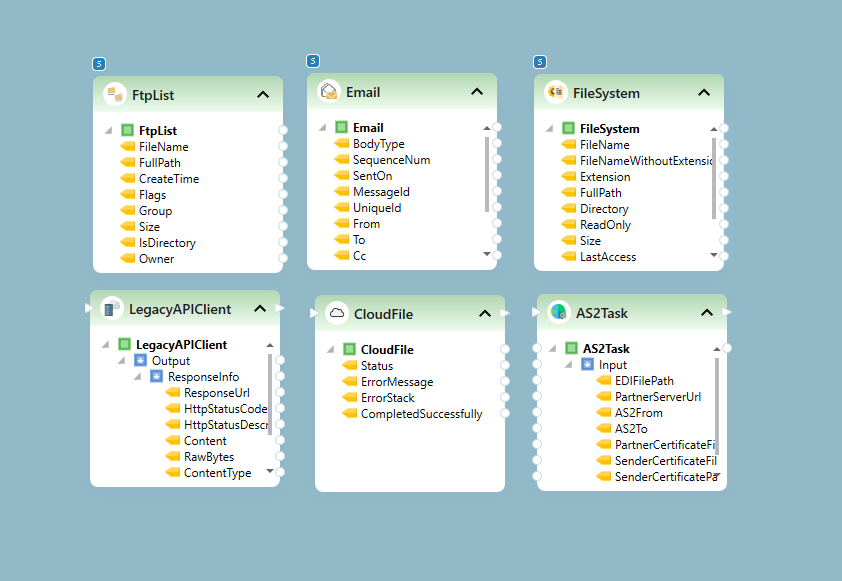
Upload documents from email, file drops, FTP/SFTP, cloud drives, web services, or API calls. ReportMiner accepts PDFs, text files, CSVs, Excel, Word, RPT, PRN, RFT, Images, TIFF, and EDI. Password-protected files are handled automatically. No preprocessing required.
Automated Data Extraction With Templates, AI, or Both
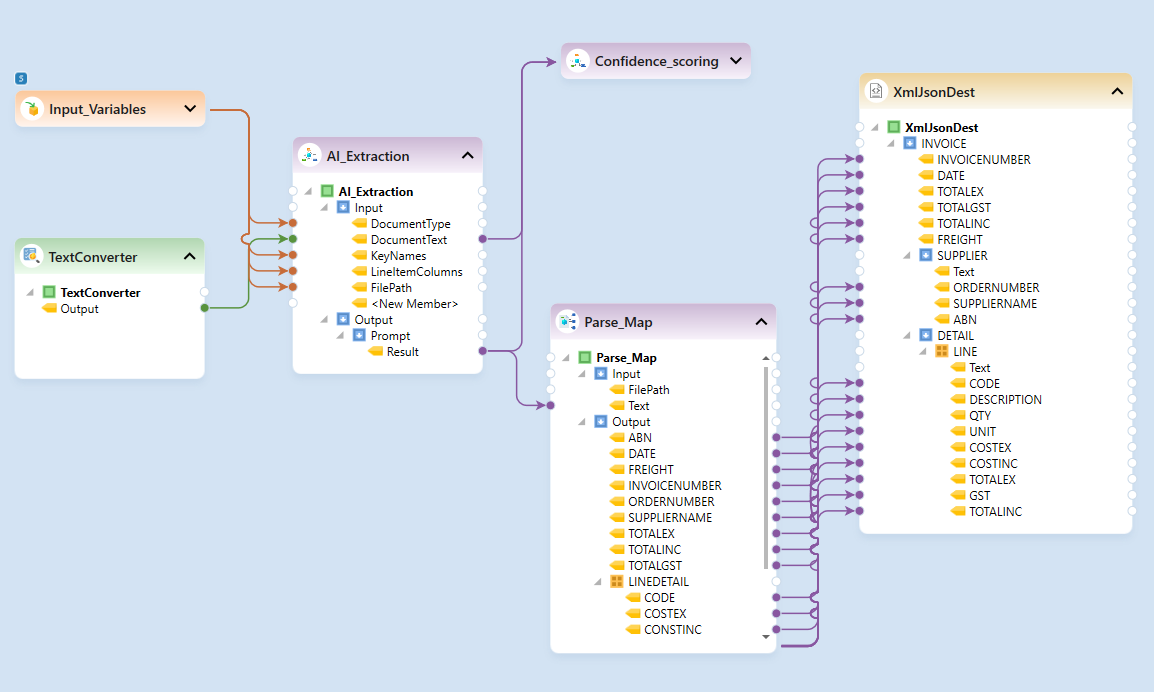
Use Auto-Generate Layout to create extraction templates in 5 seconds. Or use LLM Generate with natural language prompts for AI-powered templateless extraction from variable documents. For scanned files, OCR converts to text first, then intelligent data capture runs on the clean output. Choose the right method per document type within a single pipeline.
Clean, Validate, and Transform Extracted Data
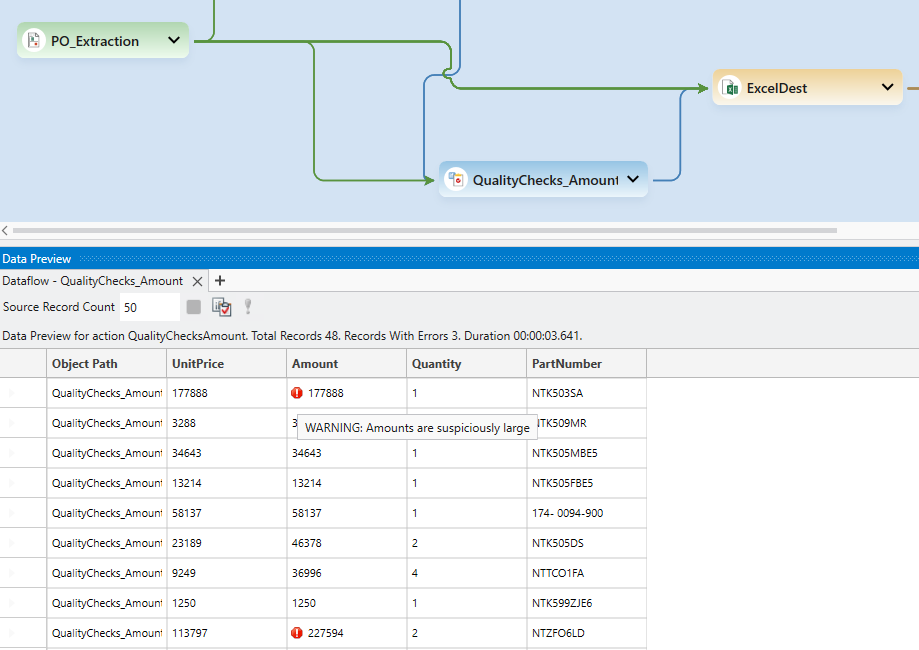
Apply 200+ built-in transformation functions to clean and restructure your data. Validate against custom business rules. Monitor data quality with error counts, null counts, and warning breakdowns. Remove noise. Create calculated fields. Data reaches your destination clean.
Map Data to Any Destination Format
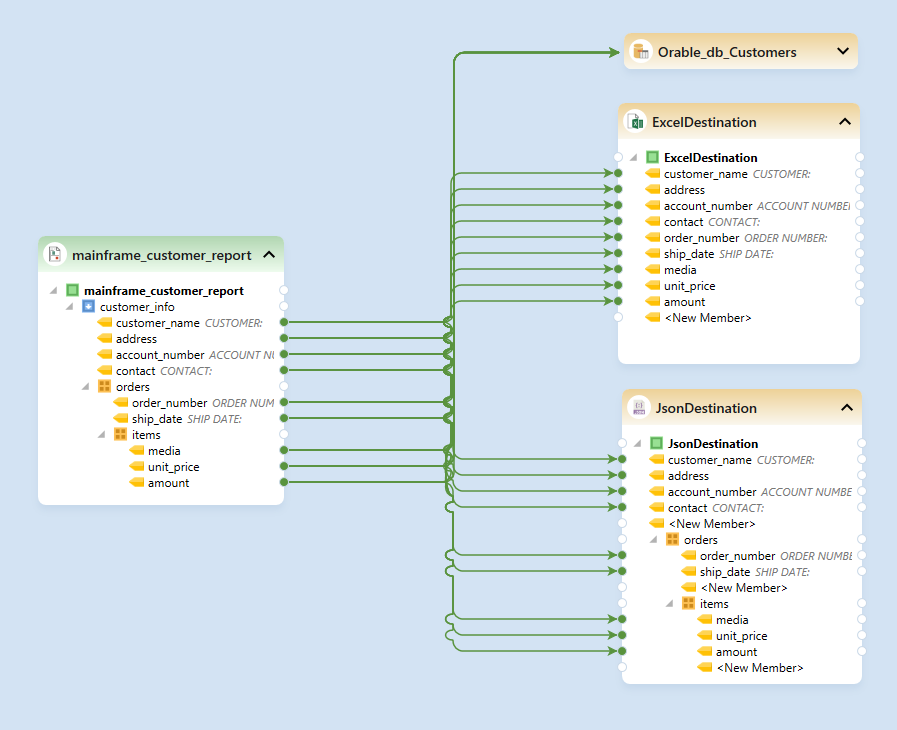
Export structured data to databases, Excel, CSV, JSON, XML, or directly into data pipelines. Apply filtering rules to route specific data to specific destinations. Support hierarchical data export to JSON/XML or normalized tables for relational databases.
Document Workflow Automation That Runs Unattended
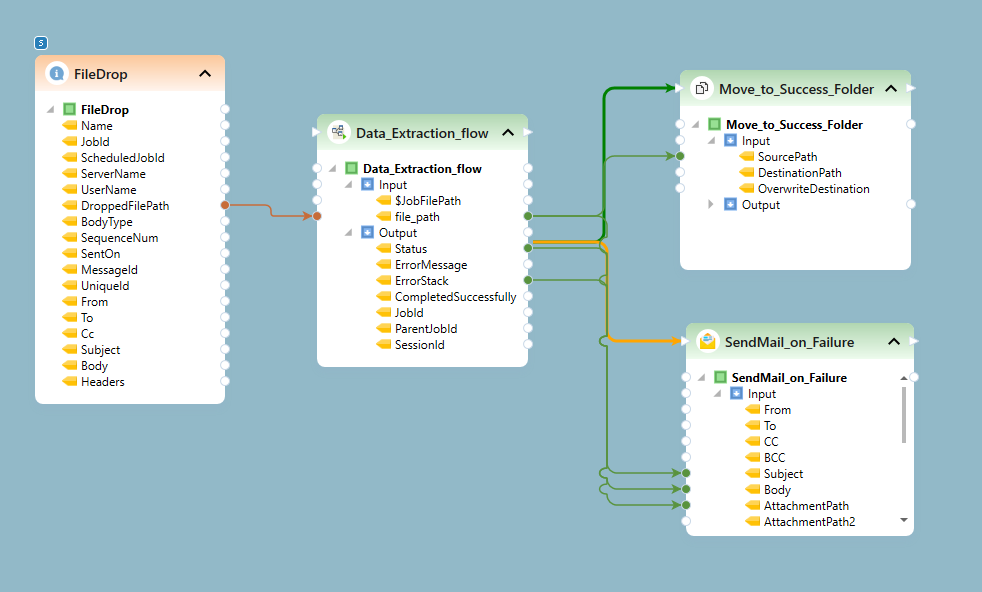
Set up automated pipelines with the built-in Job Scheduler. Trigger data extraction automation on file drops, time schedules, or API events. Distribute batch jobs across multiple servers for parallel processing. Once configured, the document workflow automation runs without manual intervention.
The Intelligent Document Processing Platform, Flexible by Design, and Reliable at Scale
Extract Data from Any Document, Scanned or Digital
ReportMiner pulls accurate data from invoices, purchase orders, freight documents, mainframe reports, financial statements, contracts, and more. Its LLM-based AI OCR handles handwriting and skewed, faded, or low-quality scans without manual cleanup.
Built for High-Volume, Unattended Processing
Easily process 10,000+ pages in a day without any downtime, and scale with business growth. Purpose-built for heavy extraction tasks, high volume processing, and recurring enterprise data pipelines.
One Platform for End-to-End Document Processing
Automate data workflows to extract, clean, validate, transform, and track thousands of documents in one platform. Orchestrate workflows for file movement, email notifications, and conditional logic.
Easy-to-Use Interface Powered by AI Assistants
Build and deploy document processing workflows visually by simply conversing with AI Agents. Use templates for consistent layouts, AI for documents that vary, and natural language copilots to adjust extraction logic.
Read and Write Data to Excel, Database, and 300+ Connectors
ReportMiner can be fully customized to replicate your exact business process end-to-end. With 300+ native connectors, connect to emails, databases, ERPs, CRMs, cloud storage, SFTP/FTP folders, APIs and more. No rip-and-replace.
Keep Sensitive Data Inside Your Environment
Deploy on-premises, private cloud, or hybrid to meet security and data residency requirements. Ideal for regulated industries, government agencies, and enterprises.
Award-Winning AI Data Extraction Software
Astera ReportMiner is recognized by hundreds of users for its fast and easy-to-use document processing platform. We are top-rated for customer satisfaction, usability, and support.
Book a Demo
PDF Extraction Software That Connects to Everything
Astera ReportMiner fits into your existing infrastructure, ingesting PDFs from any source and delivering clean, structured data to any destination.
Storage and Transfer
Web Services
Databases & Applications
Output Formats
Frequently Asked Questions
What is intelligent document processing, and how does Astera ReportMiner handle it?
Does ReportMiner use AI document processing or fixed templates?
Can it extract data from scanned, handwritten, or low-quality documents?
How quickly can my team start extracting data?
Do I need coding skills to set up automated data extraction?
What should I look for in the best intelligent document processing software?
Process Every Document into Accurate Data That Moves Your Business Forward
Set up the document processing system once, connect to your systems, and let Astera ReportMiner continuously extract and deliver structured data.