
Automate IBM Mainframe Report Extraction into SQL
Astera ReportMiner turns high-volume PRN and TXT reports, from settlements to general ledgers, into clean, structured data.
- ✓ No-code setup with hands-off processing
- ✓ Auto-generate extraction templates in seconds
- ✓ Validate every field against business rules
- ✓ Load into 300+ databases, excel, and BI tools
*Best suited for teams processing reports from IBM z/OS, AS/400, or similar systems.













Trusted by 500+ Enterprise Users

I use Astera ReportMiner to convert certain accounting, billing, and remittance advice PDFs to excel. This software has significantly increased our efficiency and has given us the ability to find, sort, and analyze data from large PDFs in excel, which we were previously unable to do.

Astera allowed our team to create templates and quickly extract data from incoming PDFs, the tool significantly reduced the time spend on data extraction.

What used to take us weeks now only takes a few days as we process over 40,000 PDF contracts of various claims in approximately 4 days with Astera ReportMiner.

ReportMiner has made our lives so much easier. Instead of 38 people checking documents all day, we now have one overseer monitoring the output. The accuracy is better, compliance is covered, and the whole team's morale has gone up.

ReportMiner has impacted our business in a very positive way. We now have a system that pulls the data off automatically, and you don't necessarily have to worry about proofing it. What took 4 hours before now takes minutes.

Ability to easily convert PDF into text, especially in those situations where PDF documents have complicated format. So far, we have been able to address every scenario. Best of all was support provided by ReportMiner team.
Experience Fast and Easy Conversion from Green Bar Report to SQL Server
Ingestion
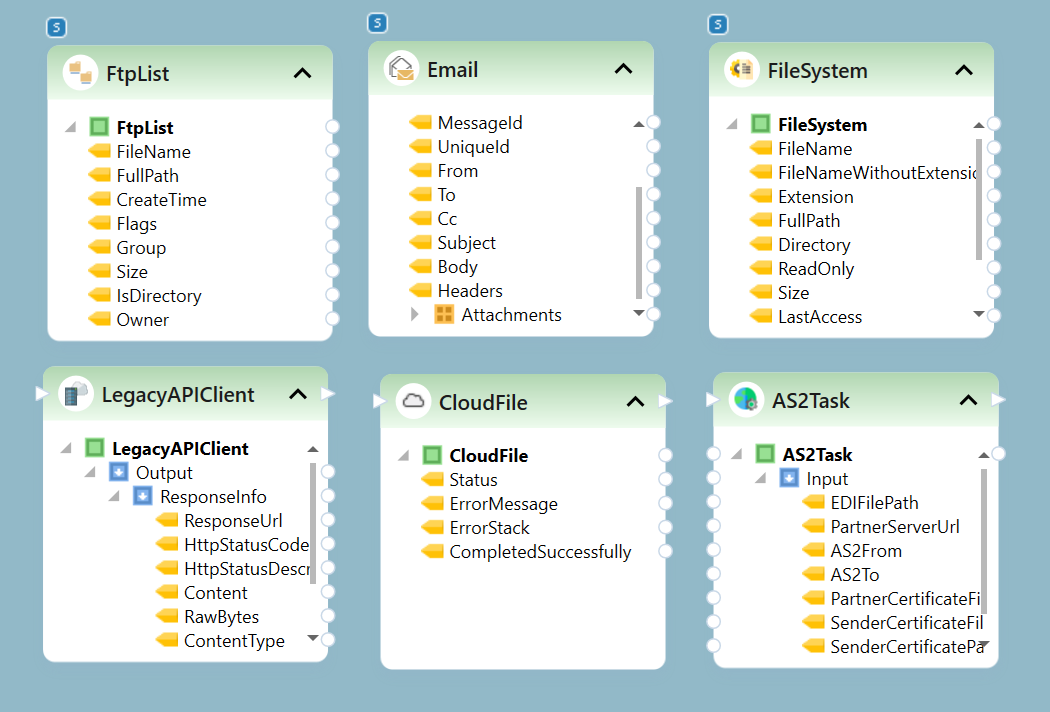
Pull reports from email, file drops, FTP/SFTP, cloud drives, or APIs. Supports PDF, TXT, LIS, RPT, Excel, and more.
Extraction
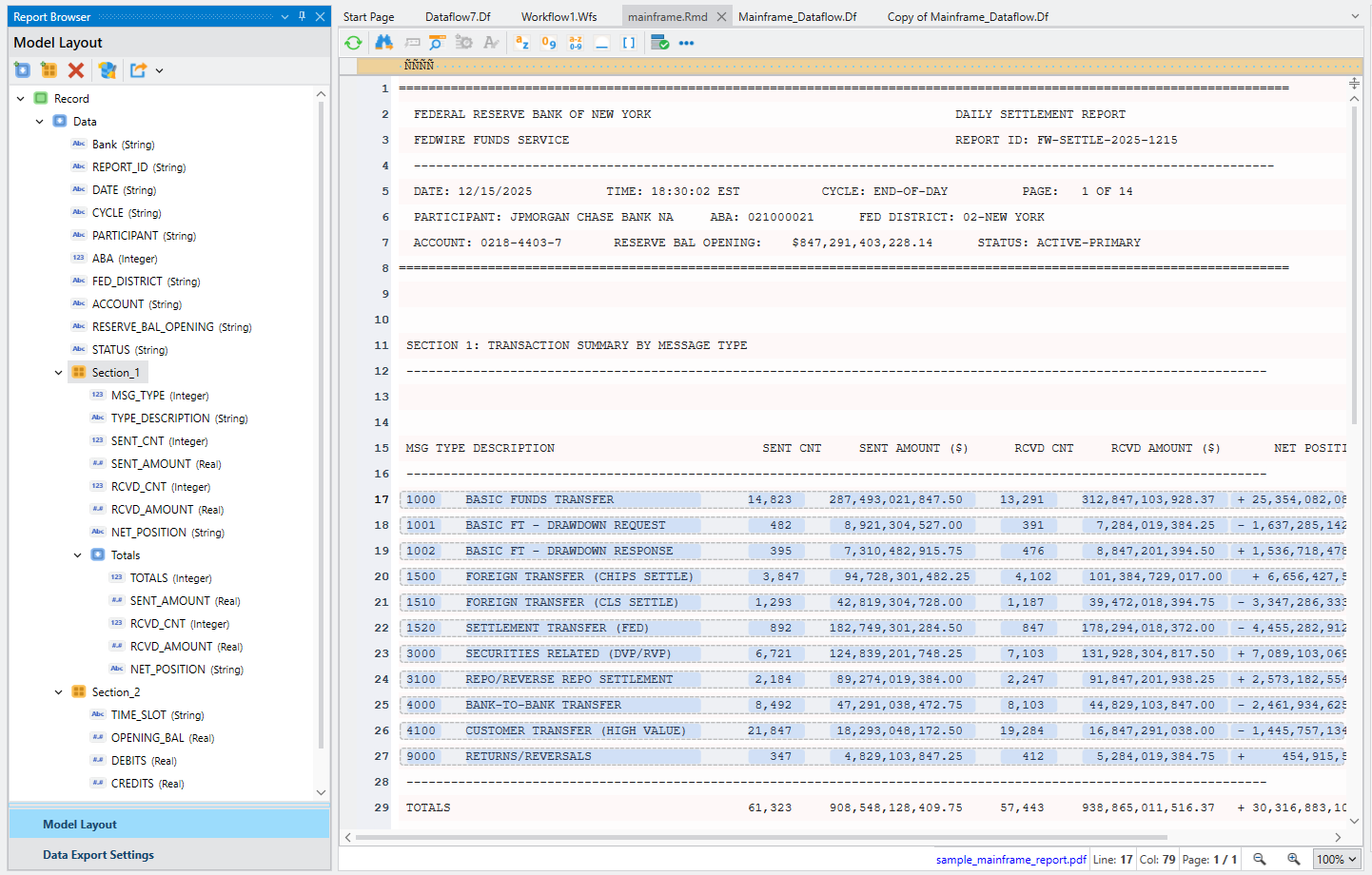
Auto-Generate Layout maps every section and column in about 5 seconds. Extract required information from any section on thousand-page documents.
Preview and Verification
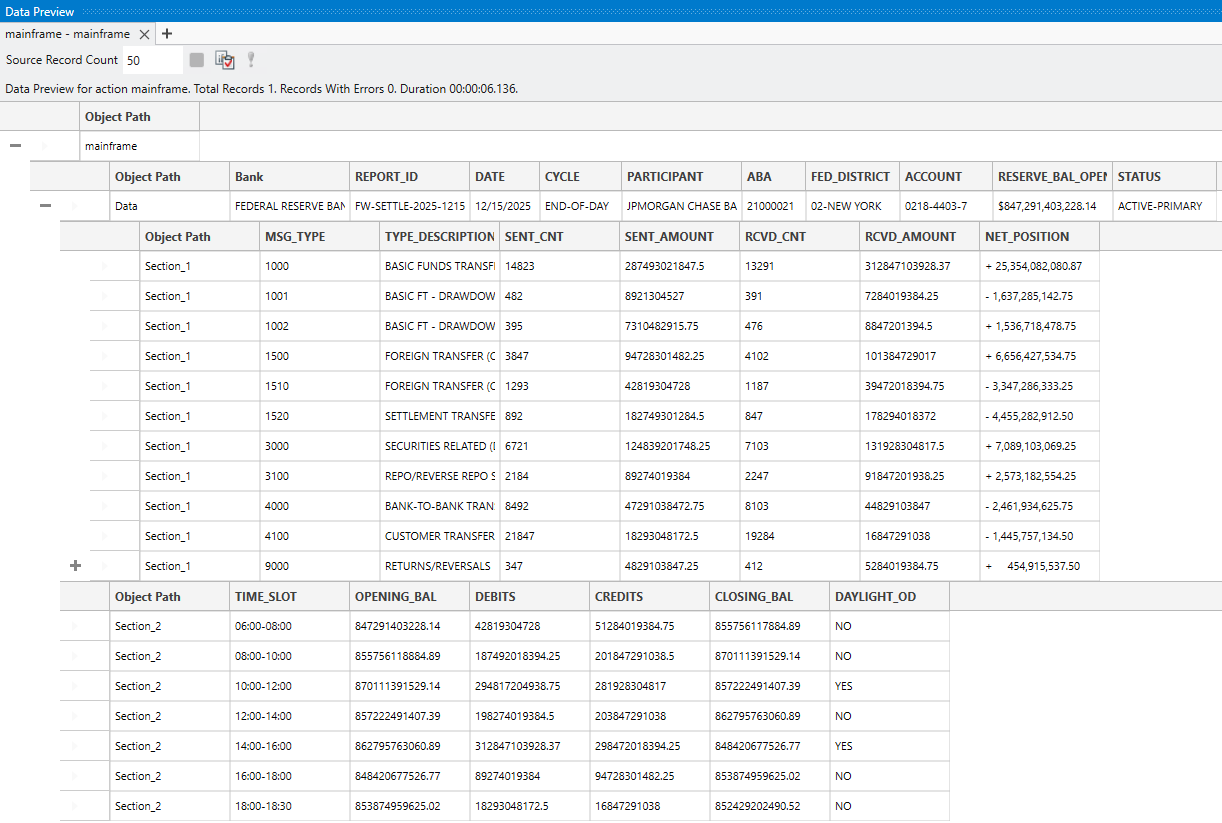
Review header fields and nested section rows in a hierarchical preview. Adjust any misaligned positions directly.For well-formed report, Auto-Generate Layout typically gets this right on the first pass.
Validation and Transformation
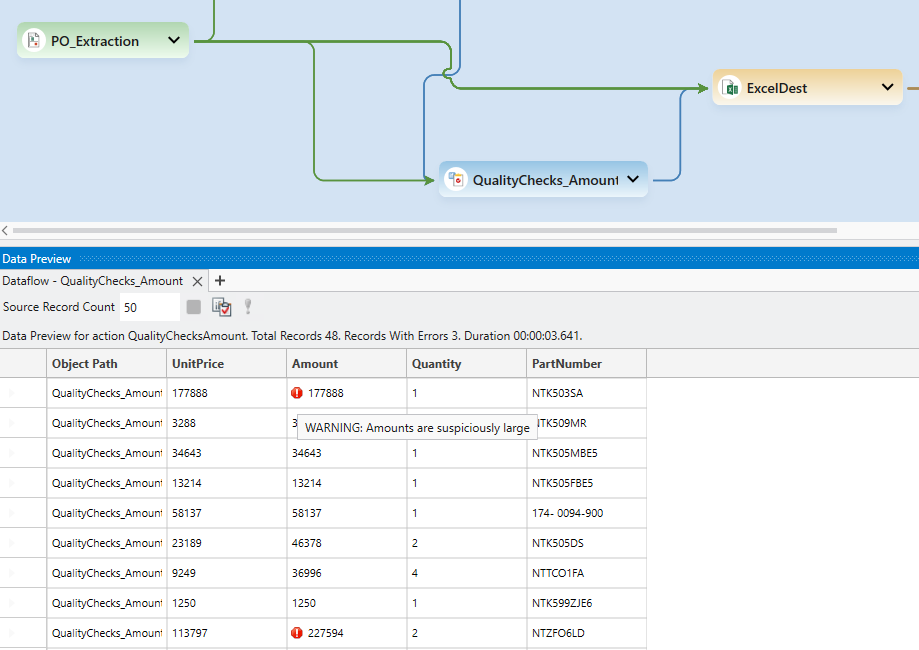
Clean data with 200+ built-in functions. Validate against business rules and route anomalies for review. Data reaches your destination clean and ready to use.
Export to Destination
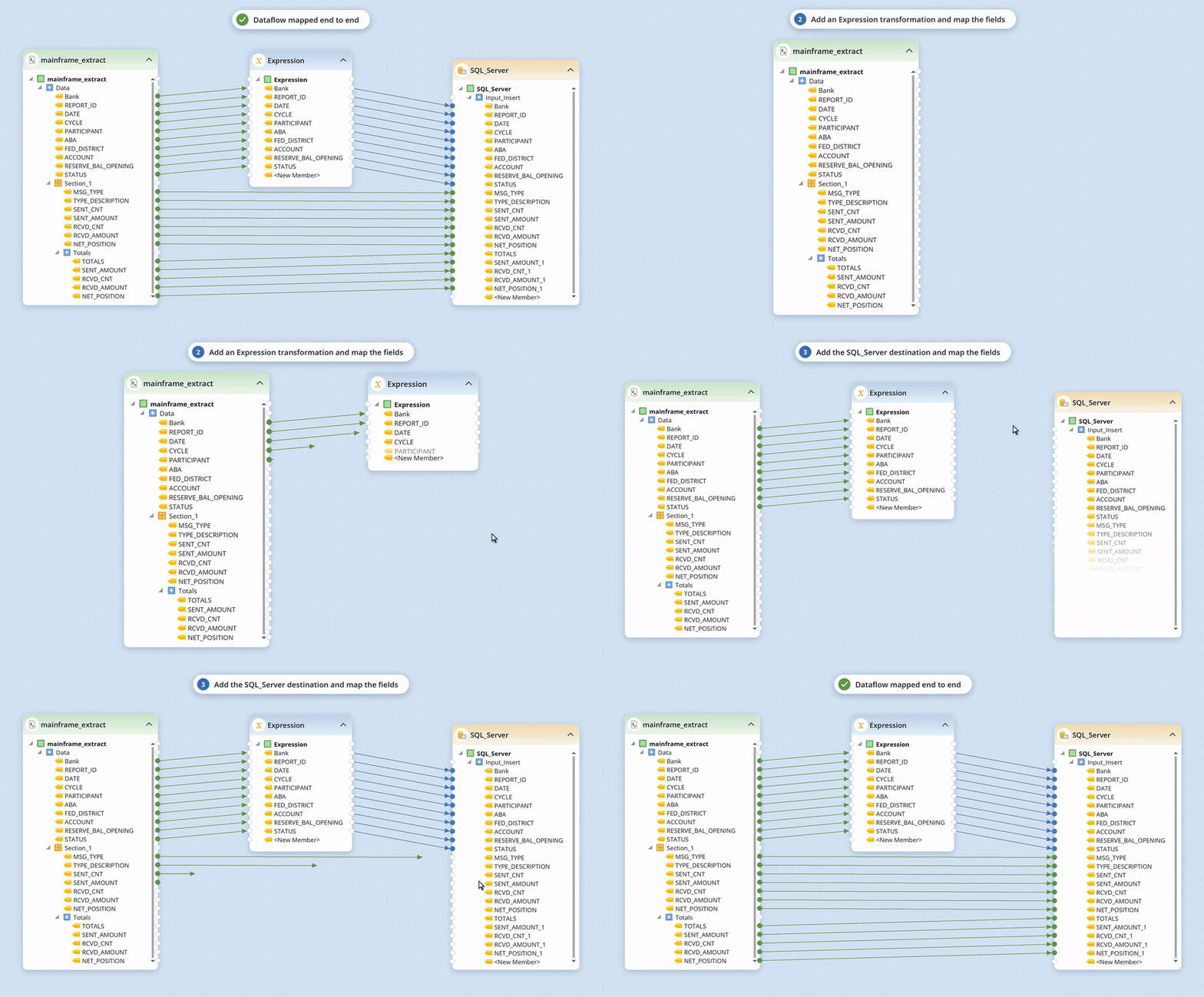
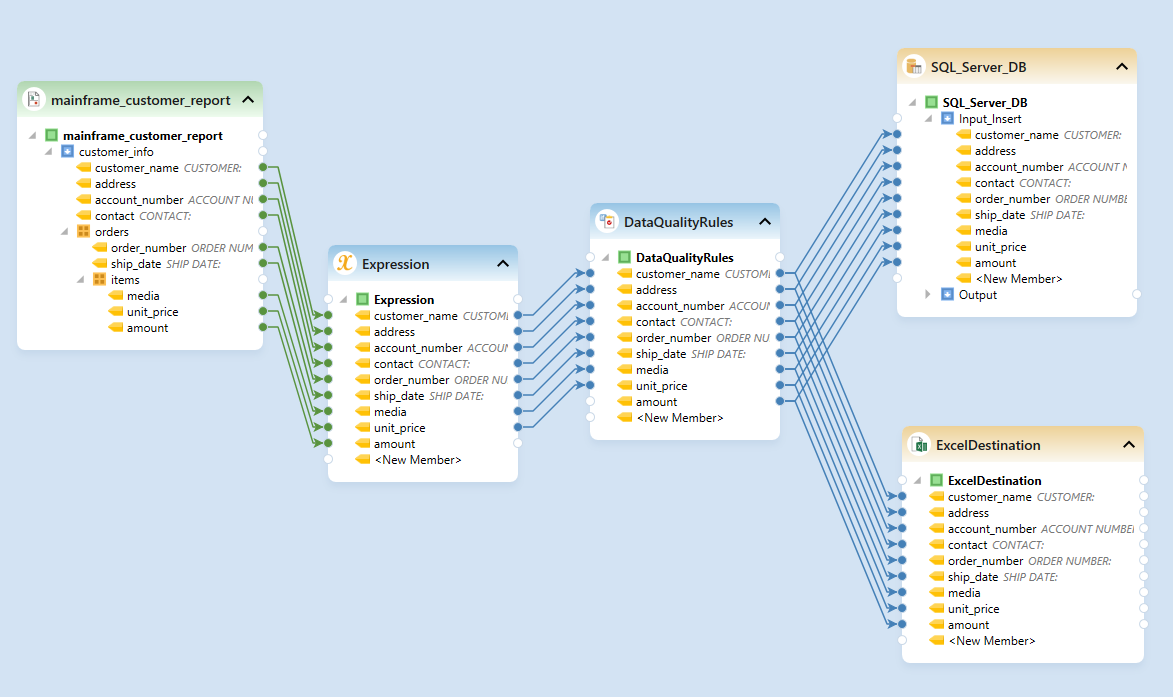
Map structured data to Excel, CSV, JSON, XML. Load into SQL Server, Oracle, Snowflake, Salesforce, SAP, and more. Upload output files to cloud storage like SharePoint, S3, Azure Blob or to FTP/SFTP connections.
Automation
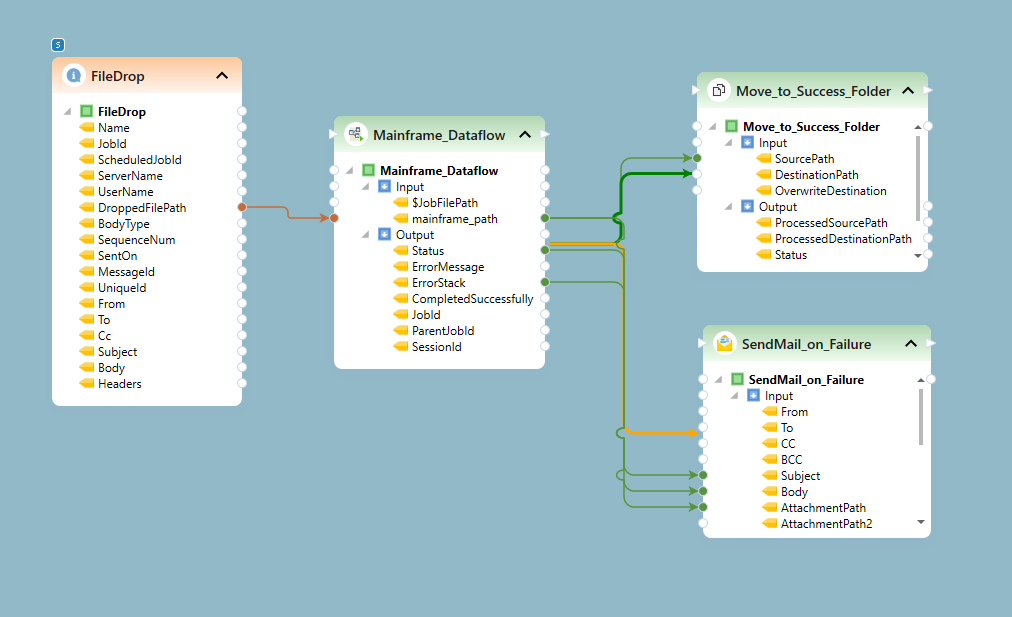
Trigger runs on emails, file drops, schedules, or API events. Get alerts on validation failures. Once configured, your pipeline runs without manual intervention.
Built for Processing High-Volumes of Large Fixed-Width Reports
Easy-to-use tool with automatic creation of templates
Automatically build an extraction template in seconds. ReportMiner is top-rated in usability for its auto-generate layout and drag-n-drop UI.
Prepare and clean data in an interactive UI
ReportMiner has a point-n-click interactive dataprep component with 200+ built-in transformations to clean, transform, and prepare the data.
Validate Every Field Against Business Rules
Validate critical fields against business rules. Fix formats, flag anomalies, and send alerts, all in one ReportMiner pipeline with a full activity log.
Process Thousands of Documents Unattended
Automate extraction, cleansing, validation, and transformation for thousands of mainframe reports in one platform. Process 10,000+ pages a day around the clock.
Award-Winning Data Extraction Software
Recognized by G2, TrustRadius, Gartner, and more for support, usability, and customer satisfaction. This is why Wescom Credit Union, Carrington Mortgages, Parallon, and other banking and financial services teams choose Astera ReportMiner for mainframe report extraction.
Book a Demo


Get Answers on Mainframe Report Extraction with ReportMiner
Can ReportMiner extract data from IBM mainframe reports without OCR?
How does ReportMiner handle reports with multiple sections and different column layouts?
Can this replace the custom scripts we built in-house for mainframe report parsing?
Which is the best tool for extracting data from mainframe reports?
Turn Your Mainframe Reports into Clean, Usable Data
Book a demo and watch ReportMiner extract your green bar, settlement, or general ledger report in real time.